Client Post Planner · Features
A month of posts before lunch
Pick the client, the kind of post, how many and the first day. Client Post Planner writes them in the client's voice and puts them on the calendar.
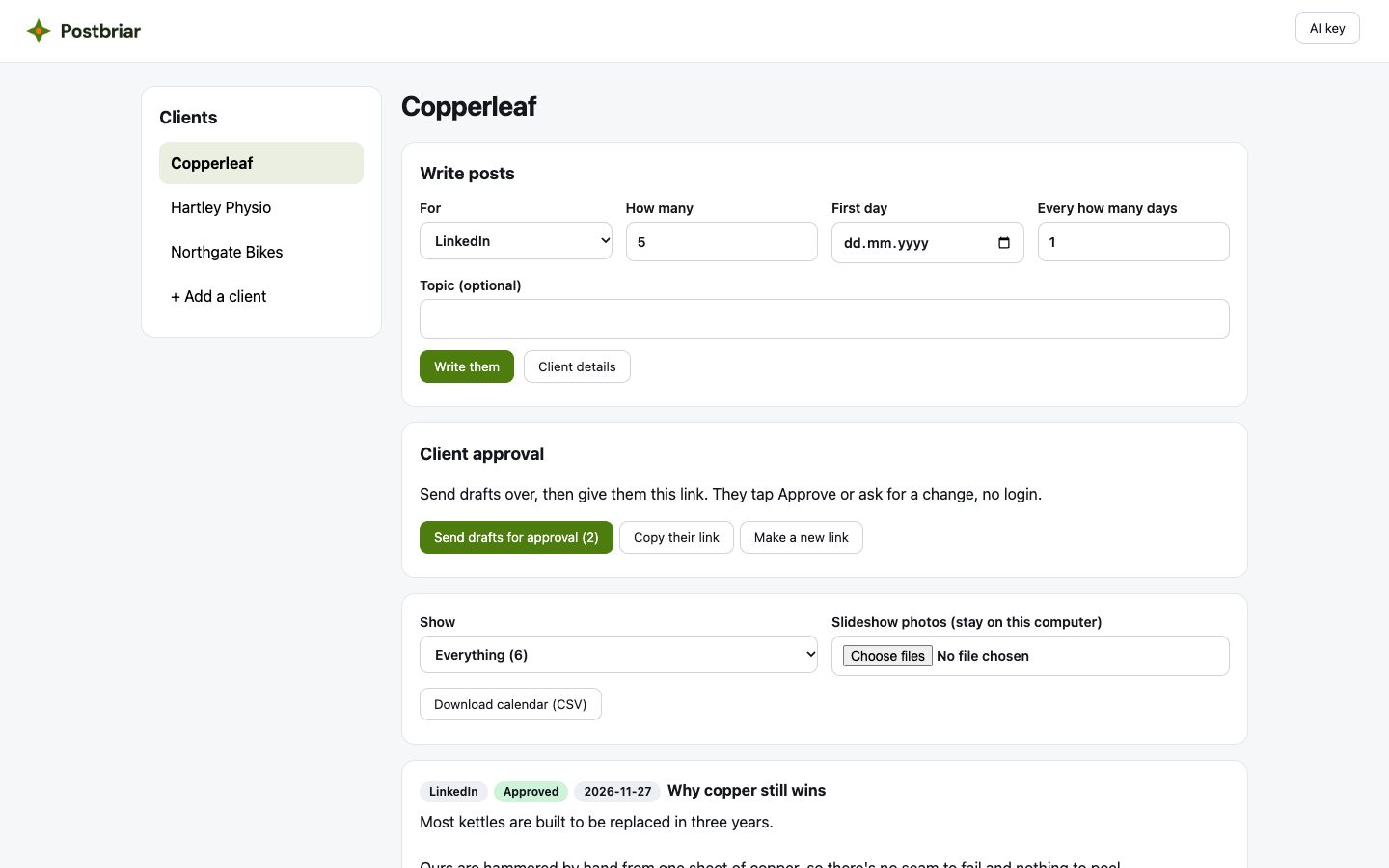
A real screen of Client Post Planner, with sample data.
Pick the client, the kind of post, how many (up to 10) and the first day. Say every how many days one should go out, and add a topic if you want to steer it.
Client Post Planner writes each one in the client's voice, from what you told it about the business, and gives each post its day on the calendar. Every post takes a different angle: a mistake people make, a how-to, a question customers ask, the offer.
- LinkedIn, Facebook or TikTok slideshow
- Up to 10 at a time, one every few days
- Uses only the facts you gave it
How to use it
- Pick a client.
- Choose the kind, how many and the first day.
- Press Write them.
More in Client Post Planner
TikTok slideshows
Slideshow posts come out as finished slides in the client's colour. Add your own photos behind them and download the pictures.
Client approval
Send drafts over and give the client their link. They read each post and tap Approve or ask for a change. No login for them.
Your own AI
Client Post Planner writes with your own AI account. Gemini and Groq give free keys, and you can switch to OpenAI, Claude or OpenRouter.