A month of posts before lunch.
LinkedIn posts, Facebook posts and TikTok slideshows, with a link your client taps to approve.
Free account, nothing to pay. Skool members log in with their Skool email. Skool member login
 Taplio
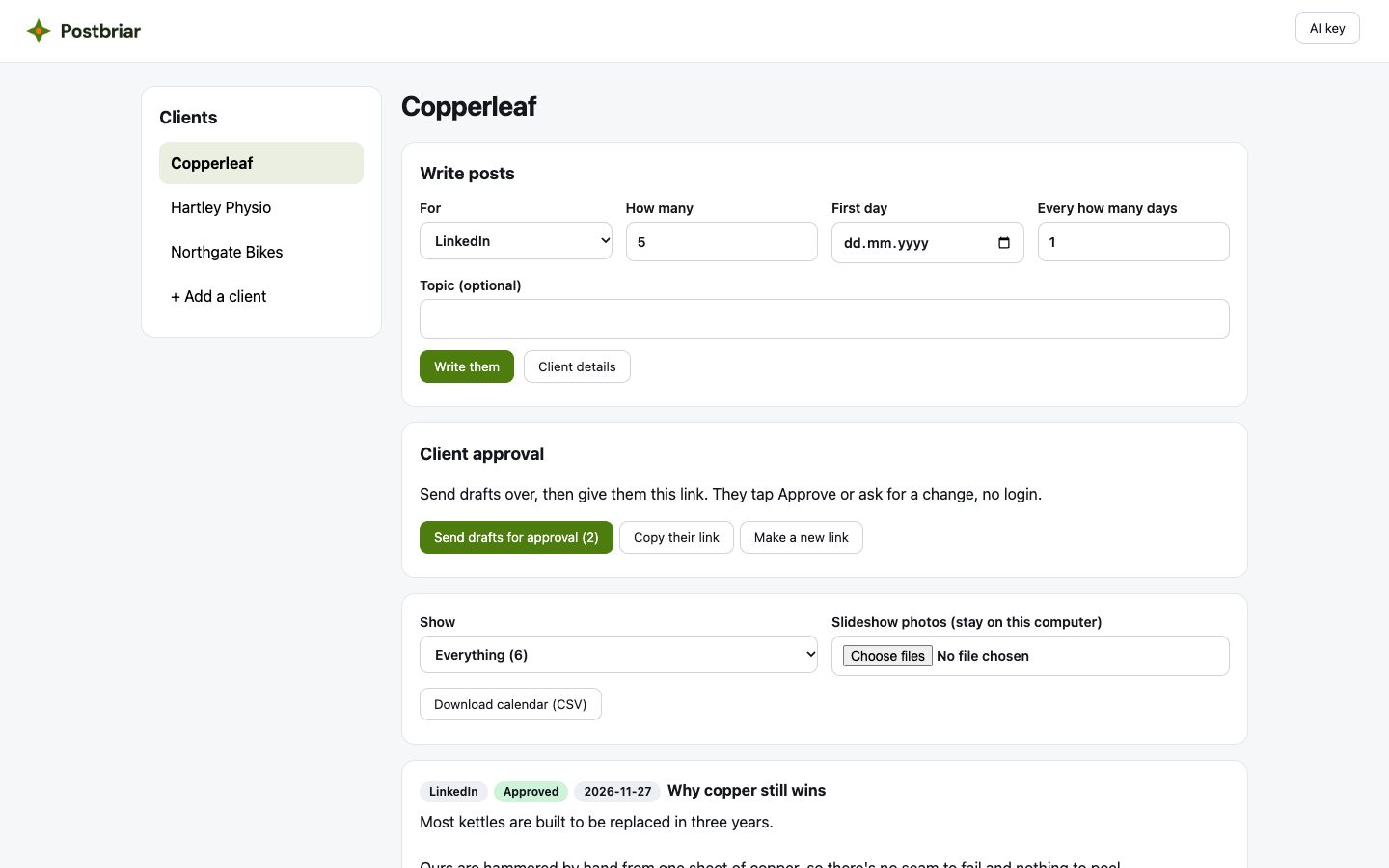
A real screen of Client Post Planner.
Works with
- LinkedIn posts
- Facebook Page posts
- TikTok photo slideshows
- Instagram carousels (the same slides)
- Google Gemini
- Groq
- OpenRouter
- OpenAI
- Anthropic Claude
How it works
Up and running in three steps
1Sign up free and press Open.
 2
Add your AI key once, then add a client: what they do, who they want, the offer.
 3
Write a month of posts, send them for approval, post what's approved.
A closer look
Everything in one place
A month of posts before lunch
Pick the client, the kind of post, how many and the first day. Client Post Planner writes them in the client's voice and puts them on the calendar.
- LinkedIn, Facebook or TikTok slideshow
- Up to 10 at a time, one every few days
- Uses only the facts you gave it
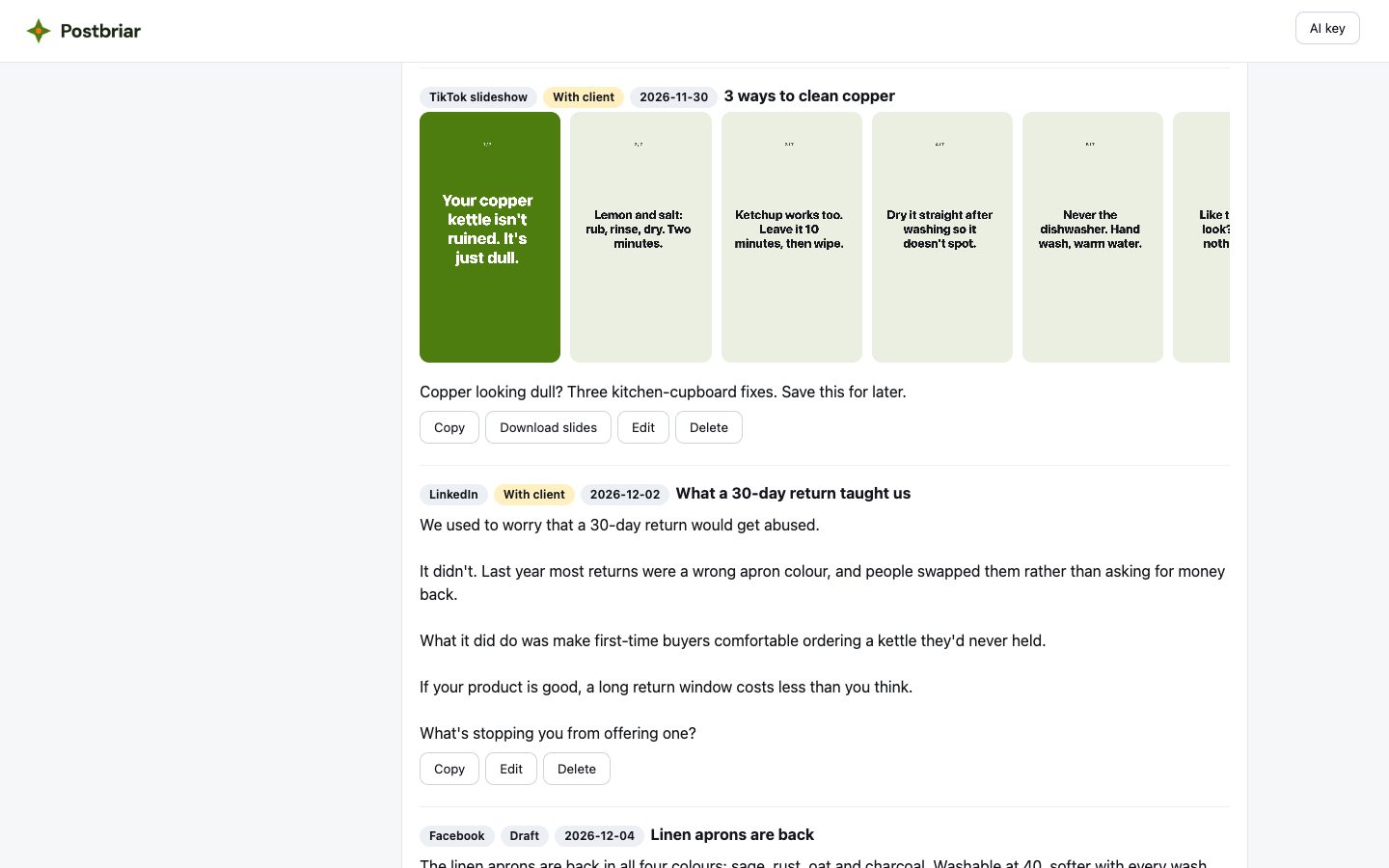
Slides that are ready to post
Slideshow posts come out as finished slides in the client's colour. Add your own photos behind them and download the pictures.
- 6 to 8 slides, hook first
- Your photos stay on your computer
- Download the slides as pictures
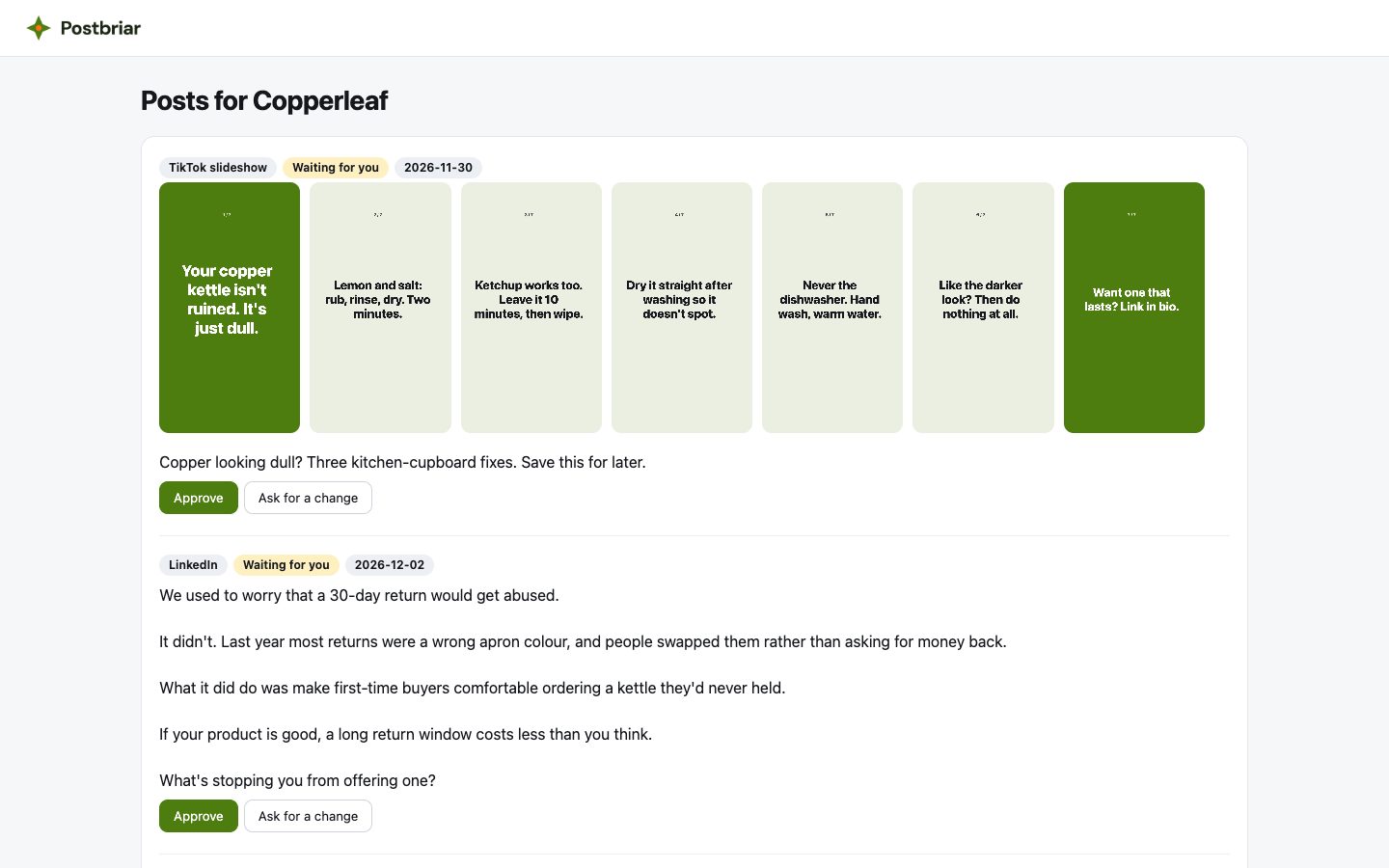
Your client approves with one tap
Send drafts over and give the client their link. They read each post and tap Approve or ask for a change. No login for them.
- One private link per client
- Notes come back on the post
- Make a new link any time
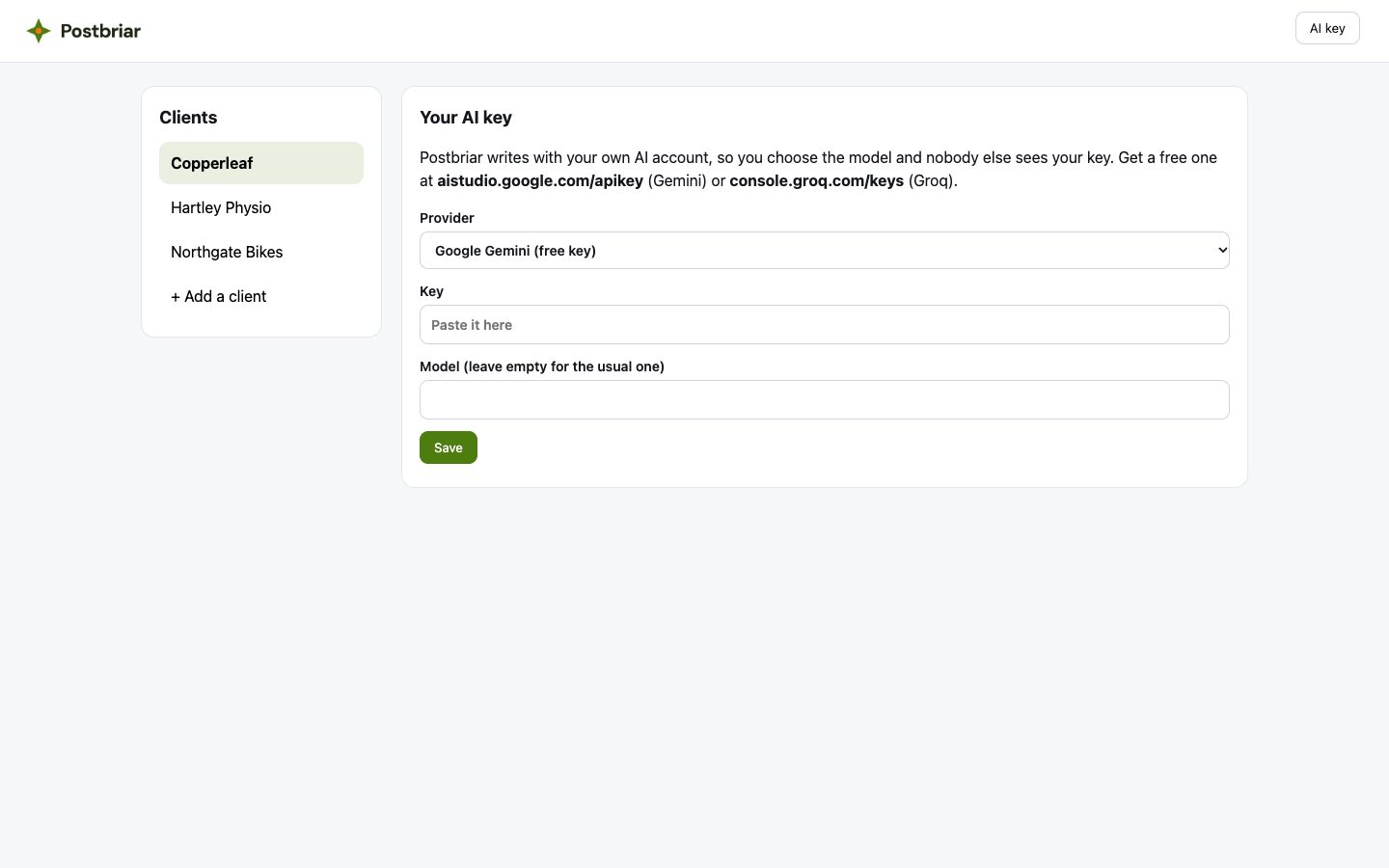
Your own AI key, nothing to pay us
Client Post Planner writes with your own AI account. Gemini and Groq give free keys, and you can switch to OpenAI, Claude or OpenRouter.
- Five providers
- Pick your model
- Your key is used only for your posts
Real screens of Client Post Planner.
Included
Everything you get
Many clients
Each with their own details, voice and posts.
Client details
What they do, who they want, the offer and how they talk.
Topics
Steer a batch: a launch, a season, a question customers ask.
Calendar
Every post has a day. Download it as a spreadsheet.
Statuses
Draft, with client, approved, posted.
Edit anything
Change a word or a slide before it goes out.
Copy in one click
Paste straight into LinkedIn or Facebook.
Approval link
Clients approve without an account.
Change requests
The client's note lands on the post.
Slide pictures
Download slideshow slides, ready for TikTok.
No made-up facts
It's told to use only what you wrote about the client.
Your own account
Other members can't see your clients.
White label
Your name on it. Your price. Your clients.
Client Post Planner comes with your brand name, logo and colour on every screen your clients see. You set the price and keep what they pay you.
- Your brand name, logo and colour
- Your own login page and address
- Runs on your own server
- Sell it at any price you like
Who it's for
Made for people who sell to small businesses
Social media managers
Every client's month written, approved and scheduled in one place.
Agencies
Add posting to every package without hiring a writer.
Local businesses
Posts for your own page, in your own voice.
Coaches and consultants
LinkedIn posts that sound like you, every week.
Pricing
Free to use. No catch.
What it normally costs. Price from their own page, November 2026.
TaplioMake an account with your email and use it. No card. Want help selling it? Skool members ($29/month) get the community, lessons and Yar's help.
Start freeJoin the Skool groupTrust
Open source underneath. Your data stays yours.
Client Post Planner is our own software, open source (MIT licence). It runs on our server, and it writes with your own AI key, so nobody pays twice for the same AI.
How we look after your data- Your own account, nobody else's
- Encrypted connection on every page
- No ads, no selling data
- Download your calendar and slides any time
A note from Yar
I run Build AI Business with Claude on Skool. Most small businesses pay for a help desk, a signing app and analytics, every month, often per person. I put open-source versions of them on our own server, with their own names, so members can use them, and sell them to clients, for the one membership price.
If something's broken or missing, message me on Skool and I'll look at it.
Questions
Good to know
Something else? Message Yar on Skool.
Who can log in?
Anyone. Make a free account with your email and a password. In our paid Claude or AI video group on Skool? Pick “Skool member” and use your Skool email.
Is one login enough?
Yes. The same email and password work on every one of our products.
Where does it run?
On our server. Log in and it's ready, with nothing to install. Want your own copy with your name on it to sell to clients? Log in and press Get your own copy.
Do I need an AI key?
Yes, your own. Google Gemini and Groq give free keys. Press AI key in Client Post Planner and paste it.
Does it post for me?
Not yet. Copy the post or download the slides and post them. The calendar tells you what goes out when.
What does my client see?
Only the posts you send for approval, through their own link. They can approve each one or ask for a change.
Can other members see my clients?
No. Every member's clients and posts are their own.
How many clients can I add?
Up to 200.
Can I sell this to clients?
Yes. It's made for that.
A month of posts before lunch.
LinkedIn posts, Facebook posts and TikTok slideshows, with a link your client taps to approve.